
Wintk App – Faster Mobile Betting and Casino Play in 2026
A sportsbook and casino should fit in a pocket, not just a browser tab, and the Wintk App was built to make that switch feel completely natural. Everything available on the desktop site, from live cricket odds to the full slots library, works the same way on mobile, just faster and built specifically for a smaller screen. This page covers what the app offers, how to get it set up, and what makes it worth using over a browser for regular play.

What the App Offers Over a Browser
The app loads faster than a mobile browser session since core assets are stored locally rather than reloaded from scratch every visit, which matters most during a live match when odds are updating rapidly and every second counts. Push notifications alert a player to kickoff times, big odds movements on followed matches, or a promotional offer going live, none of which a browser tab can deliver reliably once a phone’s screen is off. Biometric login, using a fingerprint or face unlock where the device supports it, gets a player into their account faster than typing a password every session.

Getting the App Installed
The app is available as a direct download from the Wintk site rather than through standard app store listings, a common approach for betting platforms given store restrictions on gambling content in many regions. Installing it involves allowing installation from outside the default app store in device settings, a one-time step most phones require before installing an app downloaded directly from a website. Once installed, logging in uses the same account credentials as the desktop site, so no new registration is needed for an existing player.
Everything Works the Same, Just Faster
Every sport, every casino game, and every account feature available on desktop carries over fully to the app, there’s no scaled-down version missing key markets or games. Deposits, withdrawals, and account verification all work identically through the app, and switching between a phone and a desktop browser mid-session doesn’t lose any progress since account state syncs in real time across devices. A bet slip started on a laptop can be finished from the app later the same day without any extra steps.

Live Betting on the App
Live odds refresh especially smoothly in the app, which matters most during a fast-moving cricket over or a football match heading into stoppage time, when a slow-loading page can mean missing a price entirely. The app’s live match view keeps score, odds, and bet slip all visible together without needing to scroll between sections, a layout specifically built around how people actually watch and bet on live sport from a phone.

Managing an Account from the App
Every account setting available on desktop, including deposit limits, session reminders, and self-exclusion tools, is accessible directly from the app’s settings menu. Transaction history, verification status, and current bonus wagering progress are all one tap away, making the app a genuinely complete way to manage an account rather than just a lighter version built for placing bets alone.

App Updates and Performance
The app receives regular updates adding new features, fixing bugs, and keeping pace with new game releases and sports coverage, and updates are typically small enough to install in under a minute even on a slower connection. Keeping the app updated ensures access to the latest features and the most current security patches, and an in-app notice appears whenever a new version is available for download.
Device Compatibility
The app supports the vast majority of Android devices in active use, and a lightweight version is available for older or lower-memory phones to keep performance smooth even on less powerful hardware. iOS users can access the same full feature set through a browser-based app experience, given platform restrictions on native betting apps in some app stores. Head over to Wintk from a mobile browser to find the current download link and installation instructions for the device in hand.

App Security
The app uses the same encrypted connection and account protection as the desktop site, with no reduction in security for the sake of speed or convenience. Biometric login adds an extra layer of protection specific to mobile use, since a fingerprint or face unlock is far harder to compromise than a password typed on a public or shared device. Session timeouts and automatic logout after extended inactivity apply on the app just as they do on desktop, protecting an account even if a phone is left unattended briefly.
Troubleshooting an Installation
If a download doesn’t start, checking that the phone’s browser allows downloads from the site and that there’s enough free storage space usually resolves the issue immediately. Devices blocking the install with a generic security warning typically just need the “allow from this source” or “unknown sources” setting enabled once, a standard step for any app installed outside a default app store rather than something specific to a problem with the app itself. Support can walk through installation step by step for any player who runs into a device-specific issue that isn’t resolved by these common fixes.

App Versus Mobile Browser
A mobile browser session works perfectly well for occasional play and requires no installation at all, making it a fine choice for someone betting only once in a while. The app pulls ahead for regular players specifically because of faster load times, push notifications for time-sensitive events like kickoff or a big odds shift, and one-tap biometric login that a browser bookmark simply can’t replicate. Neither option limits which sports, games, or account features are available, the difference is entirely about speed and convenience rather than access.
Data Usage and Offline Behavior
The app is built to use data efficiently, particularly during live betting sessions where odds refresh frequently but the underlying data packets are kept small. A brief connectivity drop doesn’t log a player out or lose an in-progress bet slip, since the app holds state locally and reconnects automatically once a signal returns. Players on limited mobile data plans can also enable a reduced-data mode in settings, which trims non-essential visual elements like animations without affecting odds accuracy or bet placement speed.

Frequently Asked App Questions
Is the app free to download and use? Yes, there’s no charge to download or install the app, and no subscription fee for using it beyond normal account activity. Does the app work on older phones? A lightweight mode is available specifically for older or lower-memory devices, keeping the experience smooth even on hardware several years old. Will installing the app affect an existing account’s history or balance? No, logging into the app with existing credentials pulls the exact same account, balance, and history as the desktop site, nothing is separate or duplicated.

Why Regular Players Prefer the App
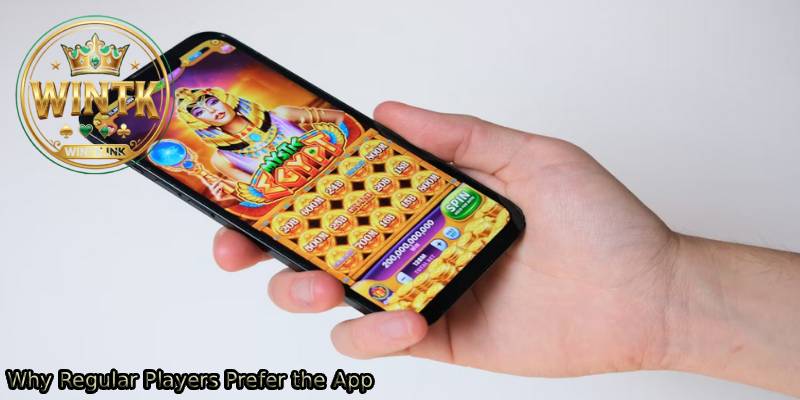
Once a player is betting or playing more than occasionally, the small conveniences add up quickly: no re-typing a password every session, instant alerts for a followed match’s kickoff, and a noticeably faster load time during the exact live moments when speed matters most. Casual visitors can absolutely stick with a browser without missing anything functionally, but anyone who logs in several times a week tends to find the app becomes the default within the first few sessions of using it.
Customizing the App Experience
Notification preferences can be tuned in settings so alerts focus only on what actually matters to a specific player, whether that’s kickoff reminders for a handful of followed teams or odds movement alerts on a shortlist of favorite markets. A dark mode display option is available for evening sessions, easier on the eyes during a late-night match than a bright white interface. Favorite games and followed teams sync across devices, so preferences set on the app carry over automatically if a player also logs in occasionally through a desktop browser.

Getting Set Up Today
Downloading the app takes just a couple of minutes from start to finish, and existing players can be logged in and placing bets faster than it would take to open a browser, navigate to the site, and log in manually each time. New players installing the app as their first point of contact with Wintk go through the exact same registration flow as the desktop site, just with a slightly more streamlined mobile-first layout guiding each step.
Support for App Users
In-app live chat connects directly to the same support team handling desktop and browser queries, so switching devices never means starting a conversation over from scratch. Any question about installation, notifications, or a specific feature inside the app can be resolved through that same chat window without needing to leave the app to find help elsewhere. That combination of speed, full feature parity, and responsive support is exactly why the Wintk App has become the default way most regular players stay connected to their account day to day. Whether the goal is catching every live cricket over or simply logging in a little faster each evening, the app delivers on both without ever cutting a corner on what’s actually available to bet or play.